


ग्रेटर नोएडा में पति-पत्नी और 3 बच्चों की
Oct 17, 2026


























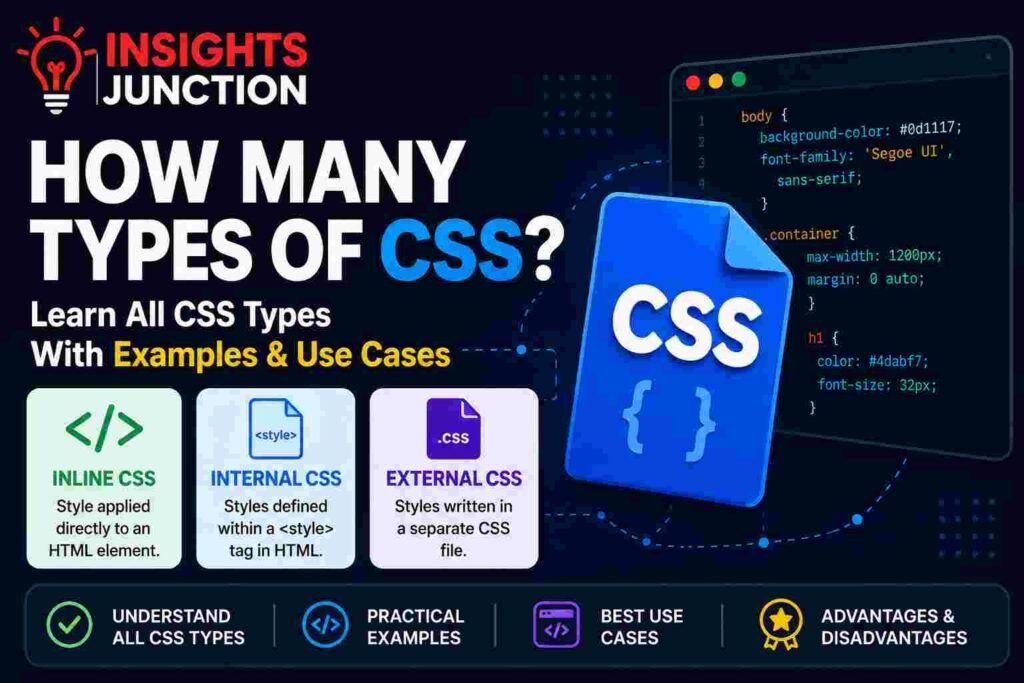














































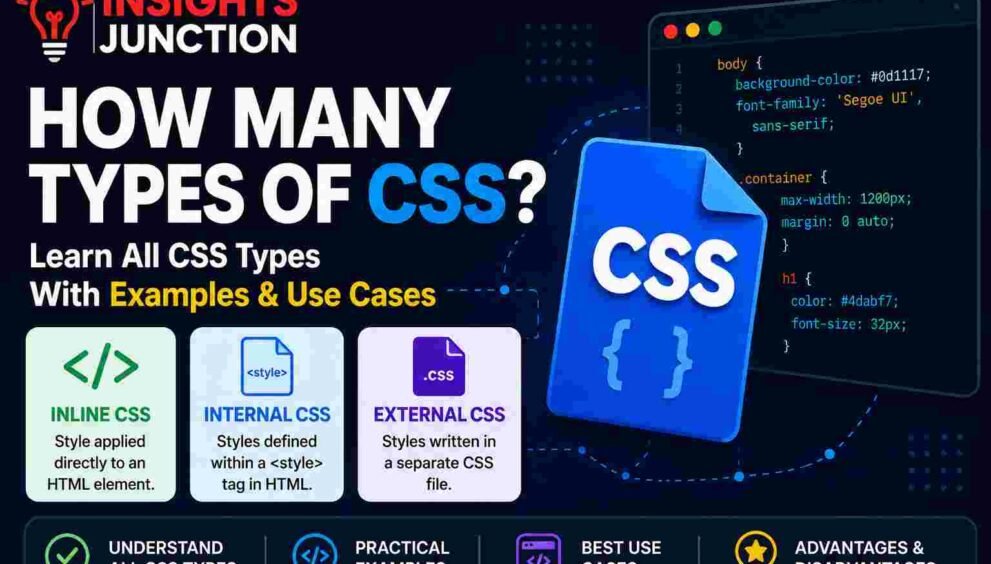
How Many Types of CSS? Learn All CSS Types With Examples

Introduction
CSS is one of the most important technologies used in web development. While HTML creates the structure of a webpage, CSS controls its appearance and layout. Everything from colors and fonts to spacing and animations is managed through CSS. Without CSS, websites would appear plain and difficult to navigate.
Whether you are a beginner learning web development or someone looking to improve website design skills, understanding CSS is essential. One of the first concepts every developer learns is the different types of CSS and how they are applied to web pages.
In this guide, you will learn how many types of CSS exist, how they work, where they are used, and practical examples of each method.
What Is CSS ?
CSS stands for Cascading Style Sheets. It is a stylesheet language used to describe the visual presentation of HTML documents. CSS allows developers to separate content from design, making websites easier to manage and update.
Using CSS, you can control colors, typography, margins, backgrounds, layouts, responsiveness, and animations. It helps create a consistent look across a website and improves the user experience. Modern websites rely heavily on CSS to ensure they appear attractive and function properly on desktops, tablets, and smartphones.
How CSS Works with HTML
HTML and CSS work together to build web pages. HTML provides the structure, such as headings, paragraphs, images, and buttons. CSS then styles those elements to make them visually appealing.
For example, HTML creates a heading, while CSS determines its color, size, and position on the page. When a browser loads a webpage, it reads the HTML first and then applies CSS rules. This combination enables developers to create professional-looking websites without changing the actual content.
Benefits of Using CSS
CSS offers numerous advantages for web developers and businesses. It improves website appearance, enhances user experience, and simplifies maintenance. CSS also helps websites load faster by reducing repetitive code.
Another major benefit is consistency. Developers can apply the same design across multiple pages using a single stylesheet. CSS also supports responsive design, ensuring websites adapt to different screen sizes. Additionally, search engines favor websites that provide a smooth user experience, making CSS an important factor in modern web development.
How Many Types of CSS Are There?
There are three primary types of CSS used to style HTML documents:
- Inline CSS
- Internal CSS
- External CSS
Each type serves a specific purpose and is suitable for different situations. Inline CSS is used for styling individual elements, Internal CSS is used for single-page styling, and External CSS is the preferred method for large and professional websites. Understanding these three CSS types is crucial for becoming a skilled web developer.
Quick Comparison Table
| CSS Type | Location | Best For | Reusability |
| Inline CSS | Inside HTML Element | Small Changes | Low |
| Internal CSS | Inside HTML File | Single Page Sites | Medium |
| External CSS | Separate CSS File | Large Websites | High |
This comparison highlights the key differences between the three styling methods. External CSS is generally the most efficient and widely used option.
Type 1 – Inline CSS
What Is Inline CSS?
Inline CSS is the simplest way to apply styles to a webpage. It involves adding CSS directly inside an HTML element using the style attribute. The styling affects only the specific element where it is written.
Because Inline CSS targets individual elements, it is useful for quick modifications and testing purposes. However, it is not commonly used for large websites because it can make code difficult to manage and maintain over time.
Syntax of Inline CSS
The syntax of Inline CSS is straightforward. The CSS property and value are written inside the style attribute of an HTML tag.
Example:
<p style=”color: blue;”>This is a blue paragraph.</p>
In this example, the paragraph text becomes blue. Multiple CSS properties can also be added by separating them with semicolons. The simplicity of this syntax makes Inline CSS easy to learn for beginners.
Inline CSS Example
Consider a webpage where only one button needs a unique appearance. Inline CSS allows you to style that button directly without affecting other elements.
<button style=”background-color: green; color: white;”>
Click Here
</button>
The button receives a green background and white text. Other buttons on the webpage remain unchanged. This targeted styling makes Inline CSS useful when only a single element requires customization.
Advantages of Inline CSS
One major advantage of Inline CSS is its simplicity. Developers can quickly apply styles without creating additional CSS files or style sections. It also provides immediate visual results, making it useful for testing design changes.
Inline CSS has the highest priority among CSS types, meaning its styles usually override Internal and External CSS. This makes it helpful for temporary modifications, email templates, and situations where direct control over an element’s appearance is required.
Disadvantages of Inline CSS
Despite its convenience, Inline CSS has several limitations. It makes HTML code cluttered and difficult to read, especially on large websites. Repeating the same styles across multiple elements leads to unnecessary duplication and increased maintenance efforts.
Inline CSS also reduces scalability because each style must be updated individually. For professional projects, this approach becomes inefficient and time-consuming. As websites grow, developers generally prefer Internal or External CSS for better organization and maintainability.
When Should You Use Inline CSS?
Inline CSS is best used when you need to apply a unique style to a single HTML element. It is commonly used for quick testing, temporary design changes, email templates, and situations where only one element requires customization. Developers also use Inline CSS when they do not have access to a separate stylesheet.
However, it should be used sparingly. While Inline CSS provides immediate results, excessive use can make HTML code difficult to maintain. For larger projects, Internal or External CSS is generally a more practical solution.
Type 2 – Internal CSS
What Is Internal CSS?
Internal CSS, also known as Embedded CSS, is a styling method where CSS rules are placed inside a <style> tag within the HTML document. The style block is usually located inside the <head> section of the webpage.
Unlike Inline CSS, Internal CSS allows developers to style multiple elements from one location. This makes it easier to manage styles for a single webpage. Internal CSS is commonly used for small websites, landing pages, and projects that only require one HTML file.
Syntax of Internal CSS
The syntax of Internal CSS involves placing CSS rules inside a <style> tag. These rules target HTML elements using selectors such as tags, classes, or IDs.
Example:
<head>
<style>
h1 {
color: green;
}
p {
font-size: 18px;
}
</style>
</head>
In this example, all heading and paragraph elements automatically receive the specified styles. This approach reduces repetition and keeps styling organized within a single document.
Internal CSS Example
Suppose you want an entire webpage to have a specific background color and font style. Internal CSS makes this easy by defining styles once and applying them throughout the page.
<!DOCTYPE html>
<html>
<head>
<style>
body {
background-color: #f5f5f5;
}
h1 {
color: navy;
}
p {
font-family: Arial;
}
</style>
</head>
<body>
<h1>Welcome</h1>
<p>This page uses Internal CSS.</p>
</body>
</html>
All matching elements automatically follow the defined styles, making webpage management much easier.
Advantages of Internal CSS
Internal CSS provides better organization than Inline CSS because all styling rules are stored in one section of the HTML file. This allows developers to update multiple elements without editing each tag individually.
It also improves code readability and reduces duplication. Internal CSS is especially useful for small projects and single-page websites where creating a separate stylesheet may not be necessary. It offers a balance between convenience and maintainability while keeping styles centralized within the document.
Disadvantages of Internal CSS
One limitation of Internal CSS is that it only applies to the page where it is defined. If a website contains multiple pages, the same styles must be copied into each file, increasing maintenance work.
Internal CSS can also make HTML files larger and more complex as the amount of styling grows. For websites with many pages or frequent design updates, maintaining Internal CSS becomes inefficient compared to using a separate External CSS file.
Best Use Cases for Internal CSS
Internal CSS is ideal for projects that consist of a single webpage. It is commonly used for landing pages, portfolio pages, prototypes, and educational projects. Developers often choose Internal CSS when testing layouts or creating temporary designs.
Because all styles are stored in one document, it is easier to share and manage smaller projects. However, once a website expands to multiple pages, transitioning to External CSS becomes a more practical and scalable solution.
Type 3 – External CSS
What Is External CSS?
External CSS is the most professional and widely used method for styling websites. In this approach, all CSS rules are stored in a separate file with a .css extension. The CSS file is then linked to one or more HTML pages using a special <link> tag.
This separation of content and design makes websites easier to maintain, update, and scale. External CSS is the preferred choice for modern websites because it promotes clean code, consistency, and efficient development workflows.
Syntax of External CSS
External CSS uses a separate stylesheet file that contains all CSS rules. The file must be saved with a .css extension and linked to the HTML document using the <link> tag inside the <head> section.
Example:
<link rel=”stylesheet” href=”style.css”>
The browser reads the CSS file and applies the styles to the webpage. This approach allows developers to manage design separately from content, making websites more organized and easier to maintain.
External CSS Example
The following example demonstrates how an External CSS file is connected to an HTML page.
CSS File (style.css)
body {
background-color: #f0f8ff;
}
h1 {
color: darkblue;
}
button {
background-color: orange;
color: white;
padding: 10px;
}
HTML File
<!DOCTYPE html>
<html>
<head>
<link rel=”stylesheet” href=”style.css”>
</head>
<body>
<h1>Learning External CSS</h1>
<button>Get Started</button>
</body>
</html>
When the page loads, all styles from the CSS file are automatically applied, ensuring a consistent appearance across the website.
Advantages of External CSS
External CSS offers numerous benefits for web developers. One of the biggest advantages is reusability. A single stylesheet can control the design of multiple webpages, reducing duplicate code and saving development time.
It also improves website performance because browsers can cache CSS files after the first visit. Additionally, External CSS keeps HTML files clean and readable while making future design updates easier. These advantages make it the preferred styling method for modern and professional websites.
Disadvantages of External CSS
Although External CSS is highly effective, it does have a few drawbacks. The browser must load an additional file before applying styles, which can slightly increase initial page load time if the file is large.
Another common issue occurs when the stylesheet path is incorrect or the file fails to load. In such cases, the webpage may appear unstyled. Despite these minor challenges, the benefits of External CSS generally outweigh its disadvantages for most web development projects.
Why Professional Developers Prefer External CSS
Professional developers favor External CSS because it promotes scalability, maintainability, and efficiency. Large websites often contain dozens or even hundreds of pages, making centralized style management essential.
With External CSS, updating a single stylesheet can instantly change the appearance of an entire website. This saves time and ensures design consistency across all pages. It also supports teamwork, allowing designers and developers to work independently on styling and content. For these reasons, External CSS remains the industry standard for professional web development.
Difference Between Inline, Internal, and External CSS
Understanding the differences between Inline, Internal, and External CSS is important for choosing the right styling method. While all three approaches are used to style HTML elements, they differ in terms of implementation, maintenance, reusability, and performance.
Inline CSS is best for small, specific changes, Internal CSS works well for single-page projects, and External CSS is designed for large-scale websites. Choosing the appropriate method depends on your project’s size, complexity, and long-term maintenance requirements.
Detailed Comparison Table
| Feature | Inline CSS | Internal CSS | External CSS |
| Location | Inside HTML Element | Inside <style> Tag | Separate .css File |
| Reusability | Very Low | Moderate | High |
| Maintenance | Difficult | Moderate | Easy |
| Performance | Low | Medium | High |
| Best For | Quick Changes | Single Pages | Large Websites |
| Scalability | Poor | Average | Excellent |
| Professional Use | Rare | Limited | Common |
This table clearly shows why External CSS is the preferred choice for most modern websites and web applications.
Performance Comparison
Website performance is an important factor in user experience and SEO. Inline CSS increases page size because styles are repeated within HTML elements. Internal CSS performs slightly better because styles are centralized within the page.
External CSS provides the best long-term performance. Browsers can cache external stylesheets, reducing loading times on future visits. This caching capability improves website speed and minimizes unnecessary data transfer, making External CSS the most efficient option for larger websites.
Maintenance Comparison
Maintaining website styles becomes increasingly important as a project grows. Inline CSS is difficult to manage because every style change requires editing individual elements. Internal CSS improves maintenance by keeping styles in a single location within the page.
External CSS offers the highest level of maintainability. Developers can update a single stylesheet and instantly apply changes across multiple webpages. This centralized approach reduces errors, saves time, and simplifies website management, especially for businesses and large-scale projects.
Reusability Comparison
Reusability refers to how easily CSS styles can be used across different pages. Inline CSS has almost no reusability because styles are attached directly to individual elements. Internal CSS allows styles to be reused within a single page but not across multiple pages.
External CSS provides maximum reusability. One stylesheet can control the appearance of an entire website. This consistency ensures a unified design and significantly reduces duplicate code, making External CSS the most practical choice for professional web development.
CSS Priority Order Explained
When multiple CSS rules target the same element, browsers follow a priority system known as the CSS Cascade. Understanding CSS priority helps developers predict which style will be applied when conflicts occur.
The CSS cascade considers factors such as source order, specificity, and importance. Knowing how CSS priority works is essential for troubleshooting styling issues and creating maintainable stylesheets.
Which CSS Type Has the Highest Priority?
Among the three types of CSS, Inline CSS generally has the highest priority. If an element contains Inline CSS, those styles typically override Internal and External CSS rules.
The general priority order is:
- Inline CSS
- Internal CSS
- External CSS
However, CSS specificity and the use of !important can affect this order. Understanding priority ensures that styles behave as expected when multiple rules are applied to the same element.
Understanding the CSS Cascade
The term “Cascading” in CSS refers to the process browsers use to determine which style rules should be applied. When multiple styles affect the same element, the browser evaluates source order, specificity, and inheritance.
The cascade allows developers to create flexible and organized stylesheets. It ensures that more specific rules take precedence over general ones, helping maintain consistent and predictable styling across web pages.
CSS Specificity Basics
CSS specificity is a scoring system that determines which selector has greater importance. More specific selectors override less specific ones.
For example:
p {
color: blue;
}
#content p {
color: red;
}
In this example, the second rule is more specific and therefore takes priority. Understanding specificity helps developers avoid styling conflicts and write cleaner, more maintainable CSS code.
Real-World Examples of CSS Types
Learning CSS becomes easier when you understand how different styling methods are used in real-world projects. Each CSS type serves a practical purpose depending on the project requirements.
From email campaigns to enterprise websites, developers choose specific CSS methods based on flexibility, maintainability, and compatibility. The following examples demonstrate where each CSS type is commonly used.
Inline CSS in Email Templates
Email clients often have limited support for External CSS. Because of this limitation, marketers and developers frequently use Inline CSS when designing promotional emails and newsletters.
Inline CSS ensures that styles display correctly across different email platforms such as Gmail, Outlook, and Yahoo Mail. While it is not ideal for websites, it remains a popular choice for email marketing due to its compatibility and reliability.
Internal CSS in Landing Pages
Internal CSS is commonly used for single-page websites and landing pages. Since all styling rules are contained within one HTML document, developers can quickly build and manage standalone pages.
This approach is often used for product launches, event registration pages, promotional campaigns, and temporary microsites. Internal CSS provides a balance between simplicity and organization without requiring separate stylesheet files.
External CSS in Business Websites
Business websites often contain multiple pages, including homepages, service pages, blogs, contact pages, and product catalogs. Managing styles individually would be inefficient and time-consuming.
External CSS allows businesses to maintain a consistent design across every page using a single stylesheet. It simplifies updates, improves performance through browser caching, and supports scalable growth. For these reasons, External CSS is considered the industry-standard solution for professional business websites and enterprise applications.
Which Type of CSS Should You Use?
Choosing the right type of CSS depends on your project requirements, website size, and maintenance needs. While all three CSS methods can style web pages effectively, each one is designed for a specific purpose.
Beginners often start with Inline or Internal CSS because they are easy to understand. However, as projects become larger and more complex, External CSS becomes the preferred solution. Understanding when to use each type helps developers create cleaner, faster, and more manageable websites.
For Beginners
If you are just starting your web development journey, Inline CSS can be a great way to learn basic styling concepts. It allows you to see immediate results by applying styles directly to HTML elements.
Internal CSS is also beginner-friendly because it introduces the concept of separating design from content while keeping everything inside one file. Beginners can experiment with colors, fonts, and layouts without managing multiple files, making the learning process easier and more practical.
For Small Websites
Small websites with only one or two pages can benefit from Internal CSS. Since all styling rules are stored within the same HTML document, developers can easily manage design changes without creating separate files.
This approach is commonly used for portfolios, event pages, personal projects, and simple landing pages. Internal CSS keeps projects organized while avoiding the complexity of managing external stylesheets, making it a practical option for smaller websites.
For Large Websites
Large websites require a scalable solution that can manage styles across multiple pages. External CSS is the best choice because it stores all design rules in a separate stylesheet.
With External CSS, developers can update the appearance of an entire website by editing a single file. This approach reduces maintenance efforts, ensures consistent branding, and improves overall website performance. Most modern websites rely on External CSS because of its flexibility and efficiency.
For Enterprise Projects
Enterprise-level websites and web applications often contain hundreds of pages, complex layouts, and large development teams. In these environments, External CSS becomes essential.
A centralized stylesheet helps maintain design consistency, simplifies collaboration, and reduces development time. Enterprise projects also benefit from advanced CSS methodologies and frameworks that work best with External CSS. For long-term growth, performance, and maintainability, External CSS is the industry-standard choice.
Best Practices for Writing CSS
Writing CSS is not only about making websites look attractive. Following best practices ensures your code remains organized, maintainable, and efficient. Clean CSS reduces development time, improves collaboration, and enhances website performance.
By following proven coding standards, developers can avoid common mistakes and create stylesheets that are easier to update as websites grow.
Keep CSS Organized
Organized CSS is easier to read, understand, and maintain. Group related styles together and use comments to separate different sections of your stylesheet.
For example, keep navigation styles in one section and footer styles in another. A well-structured CSS file helps developers quickly locate and modify styles when needed. Organized code also reduces confusion when working on larger projects or collaborating with team members.
Use Meaningful Class Names
Class names should clearly describe the purpose of an element. Instead of using vague names like .box1 or .item2, use descriptive names such as .product-card or .main-navigation.
Meaningful class names improve readability and make it easier for developers to understand the structure of a webpage. This practice is especially important in large projects where multiple developers work on the same codebase.
Avoid Excessive Inline Styling
While Inline CSS can be useful for quick changes, relying on it too often can create messy and difficult-to-maintain code. Repeating styles across multiple elements increases duplication and makes updates more time-consuming.
Instead, use Internal or External CSS whenever possible. Keeping styles separate from HTML improves code organization and makes future design modifications much easier to implement.
Optimize CSS Files
Optimizing CSS helps improve website performance and loading speed. Remove unused styles, eliminate duplicate code, and combine similar rules whenever possible.
Developers can also use CSS minification tools to reduce file size by removing unnecessary spaces and comments. Smaller CSS files load faster, providing a better user experience and contributing to improved search engine rankings.
Common Mistakes Beginners Make with CSS
Many beginners encounter challenges when learning CSS. Understanding common mistakes can help developers write cleaner code and avoid unnecessary frustration.
By recognizing these issues early, you can build better coding habits and create more professional-looking websites.
Overusing Inline CSS
One of the most common beginner mistakes is applying styles directly to every HTML element. While Inline CSS may seem convenient, it quickly becomes difficult to manage as the website grows.
Excessive Inline CSS creates cluttered code and makes updates time-consuming. Developers should gradually transition to Internal or External CSS for better organization and scalability.
Duplicating Styles
Another frequent mistake is repeating the same CSS rules across multiple elements. This increases file size and makes maintenance more difficult.
Instead of duplicating code, developers should use classes and reusable styles. Reusability reduces redundancy and makes future updates faster and more efficient.
Incorrect File Linking
When using External CSS, beginners sometimes provide the wrong file path in the <link> tag. As a result, the stylesheet fails to load, leaving the webpage unstyled.
Always verify that the CSS file location and file name are correct. Proper linking ensures that all styles are applied successfully when the page loads.
Ignoring Responsive Design
Modern websites must function properly on smartphones, tablets, and desktop computers. Beginners often focus only on desktop layouts and overlook mobile responsiveness.
Using responsive CSS techniques such as media queries ensures that websites adapt to different screen sizes. Responsive design improves user experience and is an important factor in modern web development and SEO.
Advantages of CSS in Modern Web Development
CSS has become an essential part of modern web development because it allows developers to create visually appealing, responsive, and user-friendly websites. By separating content from design, CSS improves code organization and simplifies website maintenance.
Modern CSS also supports advanced features such as animations, flexible layouts, responsive design, and dark mode themes. These capabilities help businesses and developers create professional websites that meet user expectations while maintaining excellent performance across different devices and browsers.
Conclusion:
CSS is the foundation of modern web design and plays a crucial role in creating visually appealing, responsive, and user-friendly websites. While HTML provides the structure of a webpage, CSS enhances its appearance by controlling colors, layouts, fonts, spacing, and overall design.
There are three main types of CSS: Inline CSS, Internal CSS, and External CSS. Each method serves a specific purpose. Inline CSS is suitable for quick, element-specific styling, Internal CSS works well for single-page websites, and External CSS is the preferred choice for professional and large-scale web projects.
Understanding the differences between these CSS types helps developers choose the right approach for their projects. While beginners may start with Inline or Internal CSS, most modern websites rely on External CSS because it offers better organization, maintainability, scalability, and performance.
As you continue learning web development, mastering all three CSS types will help you build cleaner, faster, and more efficient websites. Whether you’re creating a simple personal webpage or a complex business website, CSS remains an essential skill that every web developer should understand and use effectively.
Read More: 4 Types of Data
Frequently Asked Questions (FAQ)
What are the 3 types of CSS?
The three main types of CSS are Inline CSS, Internal CSS, and External CSS. Inline CSS is applied directly to an HTML element, Internal CSS is written inside a <style> tag within an HTML document, and External CSS is stored in a separate .css file linked to the webpage. Each type is used for different styling needs and project sizes.
Which type of CSS is best?
There is no single best type of CSS for every situation. However, External CSS is generally considered the best option for professional websites because it allows developers to manage styles from a single file, improves maintainability, and ensures design consistency across multiple pages.
Which CSS has the highest priority?
Inline CSS usually has the highest priority among the three CSS types. If the same element has styles defined in Inline, Internal, and External CSS, the Inline CSS rule will generally override the others unless a more specific rule or !important declaration is used.
Can all three CSS types be used together?
Yes, all three CSS types can be used within the same webpage. Developers sometimes use External CSS for overall styling, Internal CSS for page-specific adjustments, and Inline CSS for unique element-level modifications. The browser applies styles according to CSS priority and specificity rules.
What is the difference between Internal and External CSS?
Internal CSS is written inside a <style> tag within a single HTML document and only affects that page. External CSS is stored in a separate stylesheet file and can be linked to multiple webpages. External CSS is more scalable and easier to maintain, especially for larger websites.
Why is External CSS recommended?
External CSS is recommended because it keeps HTML code clean, allows style reuse across multiple pages, and simplifies website maintenance. Developers can update the design of an entire website by editing one stylesheet, making External CSS the preferred approach for modern web development.
Is CSS difficult to learn?
No, CSS is generally considered beginner-friendly. Basic concepts such as colors, fonts, spacing, and layouts can be learned quickly. However, advanced topics like Flexbox, Grid, animations, responsive design, and CSS specificity may require additional practice and experience.
What is CSS specificity?
CSS specificity is a ranking system that determines which CSS rule takes priority when multiple rules target the same element. More specific selectors, such as IDs, have greater priority than classes or element selectors. Understanding specificity helps developers avoid styling conflicts and write cleaner code.
What is a CSS selector?
A CSS selector is a pattern used to target HTML elements for styling. Common selectors include element selectors, class selectors, ID selectors, attribute selectors, and pseudo-class selectors. Selectors help developers apply styles efficiently to specific parts of a webpage.
Is CSS a programming language?
No, CSS is not a programming language. It is a stylesheet language used to control the visual appearance and layout of web pages. Unlike programming languages such as JavaScript, CSS does not perform calculations, logic operations, or decision-making processes on its own.


AI in Education: Benefits, Challenges & Future of Learning (2026)
15th Jul 2026[…] How Many Types of CSS? Learn All CSS […]